
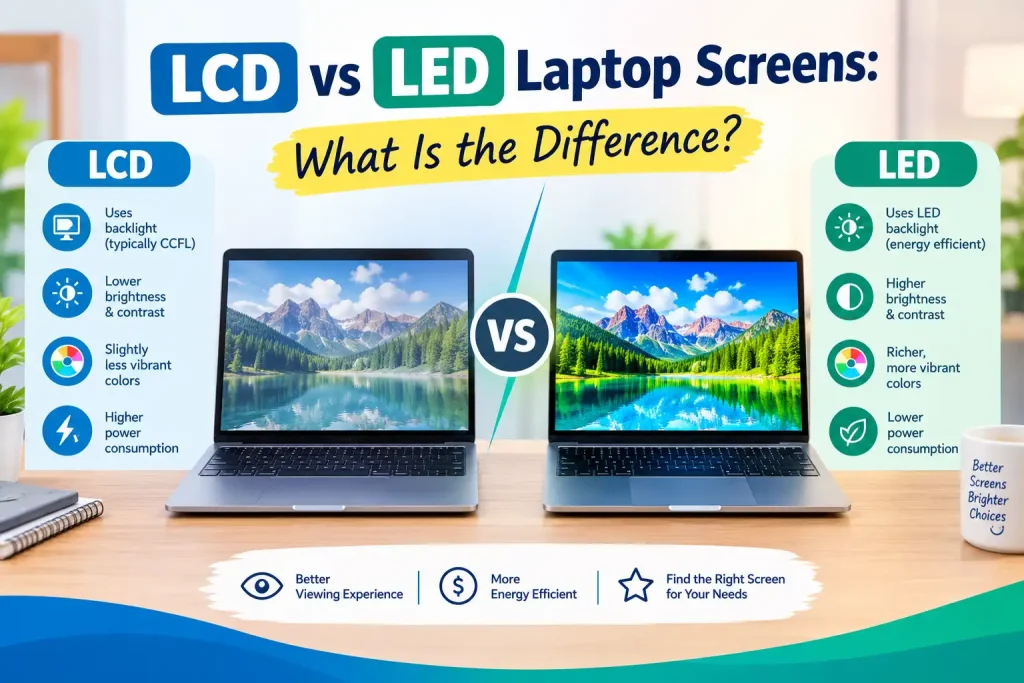
Choosing the right display technology matters when your laptop screen becomes damaged or starts showing poor image quality. If you are considering laptop screen replacement in Sonarpur, understanding the difference between LCD and LED screens can help you make a more informed decision. Although LCD and LED are often treated as two completely different display types, they are closely related technologies. The main difference is how the screen is illuminated, which can affect brightness, power consumption, thickness, color quality, and viewing experience.
Before replacing a cracked, flickering, dim, or damaged laptop display, it is useful to understand these technologies and know which option is compatible with your laptop.
Table of Contents
ToggleWhat Is an LCD Laptop Screen?
LCD stands for Liquid Crystal Display. It uses liquid crystals to control how light passes through individual pixels. Since liquid crystals do not produce their own light, an LCD screen needs a backlight to make images visible.
Traditional laptop LCD panels commonly used fluorescent backlighting, particularly cold cathode fluorescent lamps (CCFL). These displays were widely used in older laptops and generally had a thicker construction compared with modern panels.
An LCD screen contains several important layers, including a liquid crystal layer, color filters, polarizing layers, and a backlight system. When electrical signals reach the liquid crystals, they change their orientation and control the amount of light passing through each pixel.
The quality of an LCD display can vary significantly depending on the panel technology, resolution, refresh rate, brightness, and color reproduction. Older LCD laptops may also have limitations such as narrower viewing angles and higher power consumption.
What Is an LED Laptop Screen?
LED stands for Light Emitting Diode. In laptops, the term usually refers to an LCD panel that uses LED technology for its backlight. Therefore, an LED laptop screen is technically an LCD display with a different type of illumination.
Instead of using fluorescent lamps, LED-backlit displays use small light-emitting diodes. This allows manufacturers to create thinner and lighter screens while improving energy efficiency.
Modern laptops commonly use LED-backlit displays because they offer several practical advantages. They can provide higher brightness, better power efficiency, and a slimmer design. LED backlighting can also allow manufacturers to distribute illumination more effectively across the panel.
It is important to remember that the term “LED” does not automatically describe the panel’s image quality. Resolution, panel type, color coverage, contrast ratio, refresh rate, and viewing angles also influence how the display looks.
LCD vs LED Laptop Screens: Key Differences
LCD and LED laptop screens can look similar because LED-backlit displays are actually a form of LCD technology. However, their backlighting methods create several practical differences.
| Feature | Traditional LCD | LED-Backlit LCD |
| Backlight | Usually fluorescent | Light-emitting diodes |
| Thickness | Generally thicker | Usually thinner |
| Power consumption | Relatively higher | Generally lower |
| Brightness | Moderate | Often higher |
| Heat generation | Can be higher | Usually lower |
| Lifespan | Depends on backlight | Generally long-lasting |
| Modern availability | Less common | Very common |
The actual performance depends on the laptop model and panel specifications. For example, an older high-quality LCD panel may produce a better image than a low-quality modern LED panel.
Which Screen Is Better for a Laptop?
For most modern laptops, an LED-backlit display is the more practical choice. Its thinner construction, energy efficiency, and availability make it suitable for everyday computing, work, entertainment, and education.
However, the “better” screen is not determined by backlight technology alone. If you are replacing a laptop display, compatibility should be the first priority. The replacement panel needs to match specifications such as screen size, resolution, connector type, mounting arrangement, refresh rate, and sometimes panel dimensions.
For example, replacing a 1366 × 768 display with a Full HD panel may not always be straightforward. The laptop’s motherboard, display cable, BIOS support, and connector configuration can affect compatibility.
This is why checking the original panel’s model number and laptop model before purchasing a replacement is important.
Laptop Screen Replacement in Sonarpur: What Should You Check?
When looking for laptop screen replacement in Sonarpur, do not select a replacement panel based only on price. A screen that looks similar may not necessarily be compatible with your laptop.
A proper assessment should consider the laptop’s exact model number and the specifications of the original display. The technician may also inspect the display cable, hinges, bezel, connectors, and surrounding components to determine whether the problem is limited to the screen.
Common symptoms that may indicate a display problem include:
- Cracked glass or visible physical damage
- Black or blank screen despite the laptop powering on
- Flickering or intermittent display
- Vertical or horizontal lines
- Dim or uneven brightness
- Dead pixels or unusual color patches
- Display that changes when the lid is moved
Some symptoms can also result from a damaged cable, graphics issue, loose connection, or motherboard problem. Therefore, replacing the screen immediately without diagnosis may not always solve the underlying issue.
Best Laptop Screen Replacement in Sonarpur: How to Choose
Finding the Best laptop screen replacement in Sonarpur involves more than comparing service prices. A reliable repair provider should first diagnose the problem and then recommend a compatible replacement based on the laptop’s specifications.
Ask about the panel resolution, screen size, connector type, refresh rate, and warranty before approving the replacement. It is also useful to understand whether the replacement is an original-equipment panel, compatible aftermarket panel, or refurbished component.
A good repair process should also include testing the new display after installation. Brightness, colors, viewing angles, keyboard shortcuts, webcam area, hinges, and screen stability should be checked before the laptop is returned.
For local users, Pixel Computer can be considered when looking for professional computer and laptop repair assistance.
Affordable Laptop Screen Replacement Sonarpur: Is a Cheaper Screen Worth It?
Searching for affordable laptop screen replacement Sonarpur is understandable, particularly when an older laptop has a damaged display. However, the cheapest panel may not always provide the best value.
Low-cost replacement screens can differ in brightness, color accuracy, viewing angles, build quality, and durability. A poor-quality panel may work initially but provide an uncomfortable viewing experience or develop problems sooner.
When comparing replacement costs, consider the total value rather than the screen price alone. A slightly higher-quality compatible panel with proper installation and a service warranty may be more economical over time.
You should also ask whether the quoted price includes installation, testing, and any applicable warranty. This makes it easier to compare repair options fairly.
Laptop Screen Repair Shop in Sonarpur: Repair or Replace?
A laptop screen repair shop in Sonarpur can help determine whether your laptop needs a complete panel replacement or whether another component is causing the display problem.
Not every screen issue requires a new display. A loose connector or damaged display cable, for instance, may sometimes cause flickering or intermittent images. On the other hand, cracked panels, severe backlight damage, and extensive pixel damage generally require screen replacement.
A professional diagnosis can prevent unnecessary expenses and ensure that the correct component is replaced.
The technician should also check whether the laptop has suffered physical damage around the hinges. A stiff or broken hinge can put pressure on the display panel and cable, potentially damaging a newly installed screen.
LCD or LED: What Should You Choose During Replacement?
If your laptop originally uses an LED-backlit LCD panel, replacing it with a compatible LED-backlit panel is generally the straightforward option. If it uses an older LCD configuration, the replacement should be selected according to the manufacturer’s specifications.
You should not assume that every screen of the same size will work with your laptop. Two 15.6-inch screens, for example, can have different resolutions, connectors, mounting positions, refresh rates, and electrical specifications.
For this reason, the safest approach is to identify the exact laptop model and original screen specifications before ordering a replacement.
How to Extend the Life of Your Laptop Screen
Once a replacement display has been installed, simple habits can help maintain its condition. Avoid pressing the screen while cleaning it, and use a soft microfiber cloth rather than harsh cleaning products.
Open and close the laptop gently from the center instead of pulling one corner. Keep objects such as pens, earphones, and charging cables away from the keyboard before closing the lid. Excessive pressure on the display can damage the panel or create pressure marks.
If the laptop is regularly transported, use a protective bag that provides adequate cushioning. These small precautions can reduce the risk of cracks, scratches, hinge damage, and pressure-related display problems.
Final Thoughts
LCD and LED laptop screens are closely connected technologies, with LED generally referring to the backlighting used in modern LCD panels. When choosing a replacement, factors such as compatibility, resolution, panel quality, connector type, brightness, and installation are more important than simply choosing between the terms LCD and LED.
If you need laptop screen replacement in Sonarpur, having the display properly diagnosed and matching the replacement to your laptop model can help ensure reliable performance and better value. Understanding these differences also makes it easier to discuss your options with a repair professional before making a decision.
Frequently Asked Questions
1. Is an LED laptop screen better than an LCD screen?
LED-backlit LCD screens are generally thinner and more energy-efficient than older LCD displays with fluorescent backlighting.
2. Can I replace an LCD screen with an LED screen?
It depends on the laptop’s hardware, connector, cable, and panel specifications. Compatibility should be checked first.
3. How do I know if my laptop screen needs replacement?
Cracks, persistent lines, severe flickering, dead areas, or major display damage can indicate that replacement is necessary.
4. Does screen size determine compatibility?
No. Resolution, connector type, mounting design, refresh rate, and other specifications also need to match.
5. Can a damaged laptop display be repaired instead of replaced?
Some cable or connection problems can be repaired, but a physically cracked or severely damaged panel usually needs replacement.