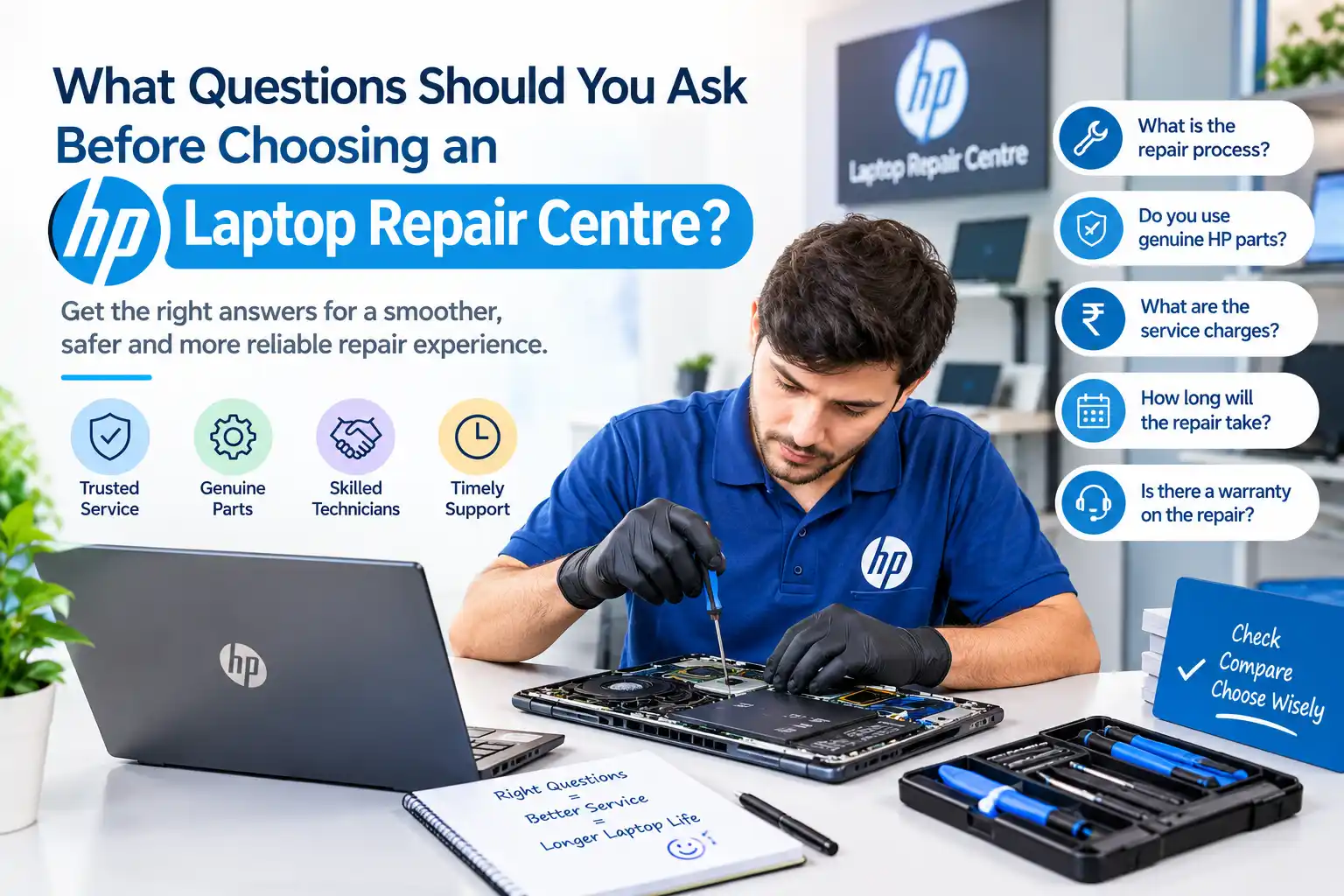
When your HP laptop develops a hardware or software problem, choosing the right technician can make a significant difference to its performance and lifespan. Before handing over your device, it is worth asking a few important questions about experience, pricing, parts, warranty, and data safety. If you are searching for HP laptop repair service in Sonarpur, understanding what to ask can help you make a more informed choice and avoid unnecessary repairs.
Table of Contents
ToggleWhy Should You Ask Questions Before Choosing a Repair Centre?
Laptop repair involves more than simply replacing a damaged component. A technician may need to diagnose the motherboard, battery, display, keyboard, charging port, storage drive, RAM, cooling system, or operating system before identifying the actual cause of a problem.
For HP laptops, the repair requirements can vary considerably between different series and models, such as HP Pavilion, HP Envy, HP ProBook, HP EliteBook, and HP Victus. A technician familiar with your particular model is more likely to understand its hardware configuration and common issues.
Asking questions before authorizing a repair also helps you understand what work will be performed and how much it is expected to cost.
What Questions Should You Ask an HP Laptop Repair Service in Sonarpur?
Before selecting a technician, discuss the problem clearly and ask questions that reveal their diagnostic process, experience, and service policies.
1. Do You Have Experience With My HP Laptop Model?
This should be one of your first questions. HP produces laptops with different processors, motherboard layouts, display technologies, storage interfaces, batteries, and cooling systems.
A technician who regularly handles HP laptops may be more familiar with model-specific components and troubleshooting procedures.
Provide the exact model number whenever possible. It can usually be found on the laptop’s label, original documentation, BIOS information, or system settings.
2. Will You Diagnose the Laptop Before Repairing It?
A trustworthy repair process should begin with diagnosis rather than immediately replacing parts.
For example, if an HP laptop does not turn on, the problem could involve the charger, battery, charging port, power circuit, motherboard, or another component. Replacing a battery without checking the charging system may not solve the issue.
Ask whether the technician will perform a proper diagnostic assessment before recommending repairs.
3. Can You Explain What Is Causing the Problem?
You should understand why your laptop needs a particular repair. Ask the technician to explain the issue in simple terms.
Whether the problem involves overheating, a failing SSD, damaged RAM, a broken hinge, a faulty display, or an operating system error, knowing the cause helps you decide whether the recommended repair is appropriate.
A clear explanation can also help you prevent the same issue from happening again.
4. Are the Replacement Parts Genuine or Compatible?
Replacement components can vary in quality and price. Ask whether the repair centre uses genuine HP parts, manufacturer-approved components, or compatible third-party alternatives.
This is particularly important for batteries, laptop displays, keyboards, charging adapters, cooling fans, and other hardware where component quality can affect reliability and performance.
You should also ask whether the replacement part carries a warranty.
5. What Will the Total Repair Cost Be?
Always ask for an estimated cost before approving major repairs. The quotation should ideally distinguish between the cost of parts and labour.
For example, motherboard repair may involve different charges depending on whether the board requires component-level repair or complete replacement.
A clear estimate helps you compare options and avoid unexpected charges after the repair is completed.
How to Evaluate an HP Laptop Repair Shop in Sonarpur
When comparing an HP laptop repair Shop in Sonarpur, do not focus solely on price. A professional repair experience should include proper diagnosis, transparent communication, appropriate tools, and careful handling of your laptop.
Ask how long the repair is expected to take and whether the technician will contact you before performing additional work. This is especially useful when the initial diagnosis reveals a more complicated issue.
It is also worth asking whether the repair centre provides a service receipt or written record describing the work completed. Such documentation can be useful if the laptop develops another issue later.
What Warranty Do You Provide After Repair?
A repair warranty provides additional assurance if a repaired component develops a related problem within the specified period.
Ask exactly what the warranty covers, how long it lasts, and whether it applies to both parts and labour. Warranty terms can differ depending on the component and repair type.
For example, the warranty for a replacement battery may differ from the warranty provided for a motherboard repair or display replacement.
Do not assume that every repair automatically includes the same warranty period. Get the terms clearly explained before approving the work.
Will My Data Remain Safe During the Repair?
Data protection is an important consideration when sending a laptop for repair. Your device may contain personal photographs, work documents, financial records, saved passwords, and other private information.
Ask the technician whether data access is necessary for the specific repair. If possible, create a backup before handing over the laptop.
For repairs involving storage drives or operating system reinstallation, ask whether your files will be preserved or whether the drive may need to be formatted.
A responsible technician should explain any potential data risks before beginning work.
How Long Will the Repair Take?
Repair time depends on the nature of the problem and whether replacement parts are immediately available.
A simple keyboard replacement may take considerably less time than motherboard troubleshooting. Similarly, a screen replacement can usually be completed faster when the correct display panel is already available.
Ask for an estimated turnaround time and whether the repair centre will inform you if the schedule changes.
Avoid choosing a service provider solely because they promise an unrealistically short repair time. Proper diagnosis and testing are more important than rushing the process.
How Do You Handle Laptop Overheating Problems?
Overheating is a common laptop concern and can result from blocked ventilation, dust accumulation, a malfunctioning cooling fan, dried thermal paste, or demanding workloads.
Ask whether the technician will inspect the cooling system rather than simply cleaning the exterior.
A proper thermal service may involve cleaning the fan and heatsink, checking airflow, inspecting the thermal interface, and testing temperatures after servicing.
This can be particularly important for HP laptops used for gaming, video editing, programming, or other demanding workloads.
Do You Offer Software Troubleshooting?
Not every laptop problem is caused by faulty hardware. Windows corruption, outdated drivers, malware, incompatible applications, boot errors, and configuration problems can also cause performance issues.
When searching for the Best HP laptop repair service in Sonarpur, ask whether the technician can troubleshoot both hardware and software problems.
A complete diagnostic approach can prevent unnecessary component replacement when the actual problem is related to Windows, drivers, applications, or system configuration.
How Do You Test the Laptop After Repair?
A repair should not necessarily end as soon as the replacement component is installed. Ask whether the technician performs testing before returning the laptop.
Depending on the repair, testing may include checking the display, keyboard, touchpad, Wi-Fi, Bluetooth, USB ports, speakers, webcam, charging system, storage, battery, and operating temperature.
For a repaired motherboard or charging circuit, additional testing may be particularly important.
A proper post-repair test helps confirm that the original problem has been addressed and that the repair has not introduced another issue.
Does the Repair Centre Provide a Service Receipt?
A service receipt creates a useful record of the repair. It should ideally mention the laptop model, reported problem, work performed, replacement components, charges, and warranty information where applicable.
If you are comparing an HP laptop service center with an independent technician, ask both about documentation and after-service support.
Independent repair centres can sometimes provide a wider range of repair options, including component-level troubleshooting, while authorized facilities may follow specific manufacturer service procedures. The right choice depends on the laptop’s warranty status, repair requirements, and your preferences.
Comparing Cost, Expertise, and Service Quality
Price is naturally an important consideration, but it should not be the only factor. A low-cost repair may not provide good long-term value if low-quality components are used or if the underlying problem is not correctly diagnosed.
Pixel Computer is one option users may consider when evaluating local computer and laptop repair assistance.
When comparing providers, look at the complete service package rather than focusing on a single quotation. Consider diagnostic charges, parts quality, labour, warranty, estimated completion time, data handling, and post-repair support.
Questions to Ask Before Handing Over Your Laptop
Before leaving your HP laptop with a technician, make sure you have clear answers about the repair process. In particular, confirm:
- What exactly is wrong with the laptop?
- What repair or replacement is being recommended?
- What is the estimated total cost?
- Which replacement parts will be used?
- How long will the repair take?
- Is there a warranty on the repair?
- How will personal data be protected?
- Will you be contacted before additional repairs are performed?
Having these details in advance can make the repair process much more transparent.
How to Choose an HP Laptop Service Provider
The right repair provider should combine technical knowledge with clear communication. Look for technicians who diagnose problems carefully, explain repair options, use suitable components, and provide reasonable warranty terms.
If your laptop is still under an HP warranty, check the applicable warranty conditions before using an independent repair provider. Certain repairs may be subject to specific service requirements.
For older laptops outside their warranty period, an experienced local technician may provide useful options for repairs such as SSD upgrades, RAM replacement, battery replacement, screen repair, keyboard replacement, charging-port repair, and software troubleshooting.
Conclusion
Choosing a laptop repair provider becomes easier when you know which questions to ask. Check the technician’s experience with your HP model, diagnostic process, replacement-part quality, pricing, warranty, data protection, turnaround time, and post-repair testing before approving the work.
If you are looking for HP laptop repair service in Sonarpur, comparing these factors can help you understand the service you are paying for and reduce the risk of unnecessary repairs. A transparent technician should be willing to explain the problem, recommended solution, estimated cost, and warranty terms clearly.
Frequently Asked Questions
1. How do I choose an HP laptop repair centre?
Check its HP repair experience, diagnostic process, parts quality, pricing, warranty, and customer support.
2. Should I ask for a repair estimate first?
Yes. Get the expected parts and labour costs before approving the repair.
3. Are genuine HP replacement parts important?
For many components, quality and compatibility are important for reliable performance and longevity.
4. Can a repair centre protect my laptop data?
Ask whether data access is necessary and back up important files before repair whenever possible.
5. Should I choose an authorized HP laptop service center?
Consider warranty status, repair type, service requirements, cost, and the expertise offered by the provider.