Expert printer repair service in Sonarpur Kolkata. HP, Epson, Canon specialists. Same-day home repair, expert technicians. Book your service now! meta description.
Printer Repair Service in Sonarpur
Expert Printer Repair Service in Sonarpur, Kolkata: Fast, Affordable & Reliable Printer Repair Near Me
Stuck with a faulty printer during crunch time? Trust Pixel Computer & Printer Services Centre for the ultimate printer repair service that delivers speed, savings, and superior results. As the premier printer repair near me provider in Sonarpur Kolkata, we specialize in same-day printer repair service, tackling everything from basic jams to complex malfunctions for homes, offices, and businesses. Searching for “top printer repair service near me” in Sonarpur, Baruipur, Narendrapur, Kamalgazi, or Rajpur? Our affordable service in Sonarpur Kolkata brings expert fixes right to you, Enjoy hassle-free, on-site home printer repair with fast and reliable service.
Printer woes like error codes, faded prints, or total shutdowns can halt your day—whether prepping reports or schoolwork. That’s why our printer repair service in Sonarpur starts with a complimentary diagnosis, clear cost breakdowns, and zero surprises. For urgent needs, count on our emergency printer repair service with rapid arrival—often same-hour in Sonarpur Kolkata. We cover all printer types, from inkjets to lasers, using genuine parts for durable printer repair near me outcomes. With roots in Sonarpur since 2010, Pixel is your reliable printer repair shop in Sonarpur Kolkata, boasting a 98% satisfaction rate and glowing local reviews.
Key Benefits of Our Printer Repair Service.
Professional Printer Repair, Installation & Maintenance
Printers are vital for home and office tasks, but jams, connectivity issues, Printer Repair Service in Sonarpur,or poor print quality can halt productivity. We provide expert services for inkjet and laser printers from HP, Canon, Epson, and more.
Our printer services include:
- Installation & Setup: USB, Wi-Fi, or network configuration.
- Hardware Repair: Fixing rollers, sensors, fusers, and other components.
- Cartridge Refilling & Replacement: Genuine ink/toner for high-quality prints.
- Wireless Printer Troubleshooting: Seamless connectivity solutions.
- Maintenance: Regular cleaning and optimization.
Sonarpur No.1 Best & Trusted Printer Service – Pixel Computer & Printer Services
We provide all types of printer repair services.
For any printer issue, one call = problem solved!
We will pick up the printer from your home
Repair it quickly
Printer Repair Service in Sonarpur, Deliver it back in good working condition
In Sonarpur, the most trusted brand is only one –
Pixel Computer & Printer Services
Do you use HP / Canon / Epson printers?
Paper Not Working / Paper Jam / Printing Problem – Don’t worry!
Pixel is near you
Message us on WhatsApp now
Engineer visit available
Quick issue resolve
You happy, we happy
All time support & 100% genuine service
Same-Day Printer Repair on Delivery Service

Printer Repair Service in Sonarpur Kolkata,Get back to printing within hours—no more waiting for printer repair near me delays.
Budget-Friendly Affordable Printer Repair Service, Transparent quotes from low starting rates, perfect for cost-conscious top printer repair service near me seekers.
Stress-Free Emergency Printer Repair On-call support for breakdowns, minimizing downtime in high-pressure scenarios.
Easy Home Printer Service in Technicians visit your location—no need to transport heavy printers to a printer repair shop in Sonarpur Kolkata.
Guaranteed Quality:
Every printer repair service in Sonarpur includes 3-6 month warranties, plus free optimization tips.
Versatility defines our expert printer repair services in Sonarpur:
printer repair service in Sonarpur Our inkjet printer repair service resolves nozzle clogs, ink flow hiccups, color streaks, and cartridge glitches with advanced cleaning for sharp, vibrant results. “High-output users trust our fast and reliable laser printer repair service.”fixing fuser faults, drum degradation, toner spills, and print inconsistencies—ideal for Sonarpur offices. We also service multifunction and ink tank printers, addressing scan errors, connectivity bugs, and refill woes to streamline your printer repair near me routine.
Customized Brand Printer Repair Service Near You in Sonarpur ,We boost your device’s potential with specialized repair for top brands—ensuring “top printer repair service near me” reliability:
HP Printer Repair Service Near Me in Sonarpur
Swift solutions for DeskJet paper feeds, LaserJet alignments, Ink Tank errors, and All-in-One jams—optimized for everyday Sonarpur use.
Epson Printer Repair Service in Sonarpur Near Me:From EcoTank nozzle cleaning to L-Series color fixes and WF overflow solutions—Sonarpur’s trusted Canon printer repair experts are here. Near Me: Precision repairs forFixing IXMA printheads, imageCLASS fusers, G-Series hardware & laser density problems—Sonarpur’s trusted laser printer repair service.
Brother, Ricoh & Beyond: Comprehensive printer repair shop in Sonarpur Kolkata care for toner issues, rollers, and sensors across all models.
Serving a 50km zone from Sonarpur to Garia and Barend, In Sonarpur, Kolkata, our affordable printer repair service comes with preventive maintenance—so you can avoid unexpected emergency repair needs later.We share pro tips on usage and upgrades, plus bundled computer services for total tech peace. Why settle for less? Choose Pixel in Sonarpur for fast, affordable, and expert printer repairs—trusted by customers for quality service and reliable support every time.
Ready for seamless printing? Dial [8597519818] or stop by [address] Need same-day printer repair near Kolkata? Pixel is here with fast response, expert technicians, and reliable solutions—so your printing work never gets stuck.
Canon TS307 Paper Not Working Problem
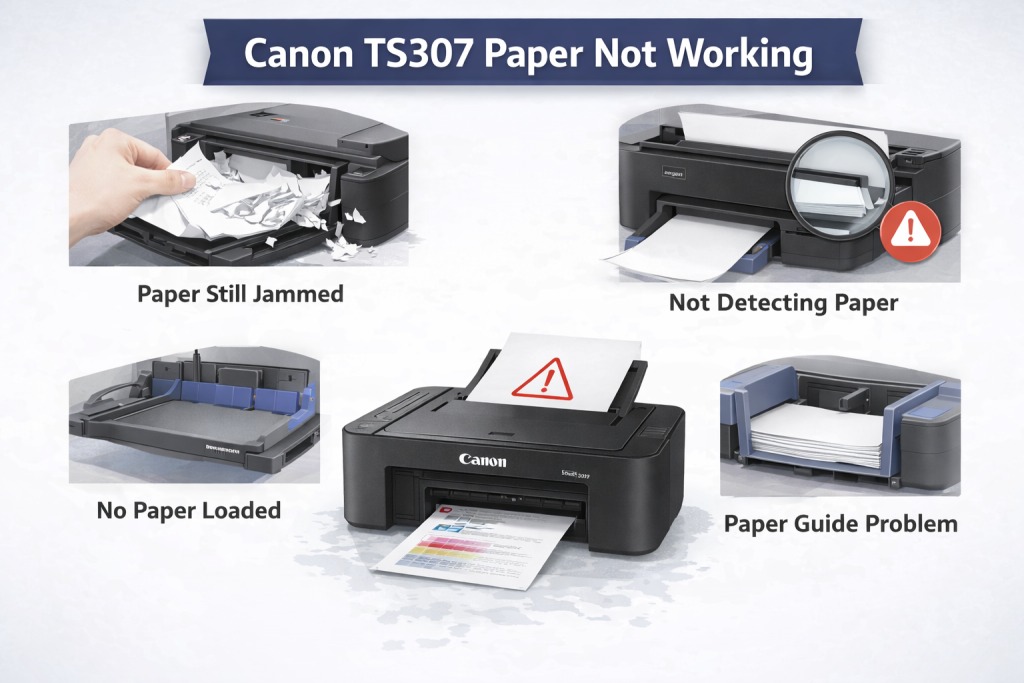
Printer Repair Service in Sonarpur Canon PIXMA TS307 paper jam One of the most common causes for a Canon PIXMA TS307 paper not feeding correctly and causing a jam is using dusty, poor quality or old paper. When this issue occurs, paper will not be picked up by the printer so that a “Paper out” or similar message is received even when there are still plenty of paper in the paper tray. This is not a great damage problem however, and most of the time it can be easily fixed.
Printer The root cause of this issue is the paper feeding mechanism of a printer. In the printer, a rubber paper feed roller is provided to draw in the paper. The roller was slick, tough, or fuzzy with repeated use. Consequently, when the roller is driven to rotate, it cannot be easy to seize paper and hence can not effectively feed paper. Also, dust in the printer, paper scraps left on the paper path or a malfunction of the paper sensor can prevent feeding.
First check the paper, position of the paper. Plain paper of A4 size it is only Please use. The paper should lay flat and be in a non-bent or curled condition. Be sure to load the paper straight in the rear tray and adjust the paper guide. Most of the time, the improper loading of paper leads to you paper not feeding issue at all.
If the paper is loaded correctly and the issue persists, check for Paper Feed Roller problem. Be sure the printer is turned off and unplugged. Now the cylinder needs to be inspected from the back. If the roller appears shiny, is covered in dust, or feels very smooth to the touch, this is a sign that it has lost its grip.
Before you can replace the roller you must first clean it. The roller can be carefully cleaned with a damp lint free cloth. The roller must completely dry after you clean it. Most of the time, just needs to clean inside the roller and everything works fine after.
If printing is not improved after cleaning the paper feed roller, the roller may be worn and require replacement. This is the easiest and surest way to fix paper not working issues. Once you replace the new roller, your printer will generally feed paper properly.
If the roller functions but “No Paper” error still appears in the printer, you need to examine the paper sensor. And the paper sensor checks whether paper exists or not. False errors can result from dust or sensor damage. Initially the sensor is cleaned and if needed replaced, Printer Repair Service in Sonarpur.
Printer Repair Service in Sonarpur ,Also the printer’s inside paper way needs to be cleaned properly. There could be bits of paper, fragments or dust inside, and may cause to cease up the paper. Cleaning away these blockages can also fix the problem.
Lastly, after maintenance or part replacement the printer needs to be tested by printing a number of pages. If the paper enters well and no error occurs, there is no problem.
In summary, this repair is easy, hazard-free and inexpensive. Most of the time, there’s no extensive repair needed. Typically, cleaning or replacing paper feed roller resolved the issue and printer would work for a while.
Ink Cartridge Problems (Low / Empty In
Printer Repair Service in Sonarpur ,Simply being out of ink is often the cause of printer problems. Ink is low on the printer, and sometimes it comes up that the ink is low, but there is still some in there. There could be a lot of reasons why you are experiencing this issue, it may be because of using cheap cartridges, improper installation or handling and incorrect settings. Always look into the problem and trouble shoot before splurging a new cartridge.
Solution:
The majority of printer issues are due to low, empty or damaged in them can easily be resolved with simple troubleshooting. First access the printer settings to verify that the printer is reading the cartridges correctly. Then check that the proper cartridges are properly seated and fully installed. If print quality is unsatisfactory, you may have to perform printhead cleaning or nozzle cleaning from the maintenance menu on your printer to unclog and improve ink flow.
If the ink cartridge continues to display that it is out of ink and printing is poor after attempting to clean the cartridge, you may need a new ink cartridge from which regular use will let you know when the ink is running low. Replacing the cartridge is not universal across all printer models as the cartridges differs and so does the replacement process, always refer to your printer manual accordingly.
HP Ink Tank 419 Print Head Problem – Solution
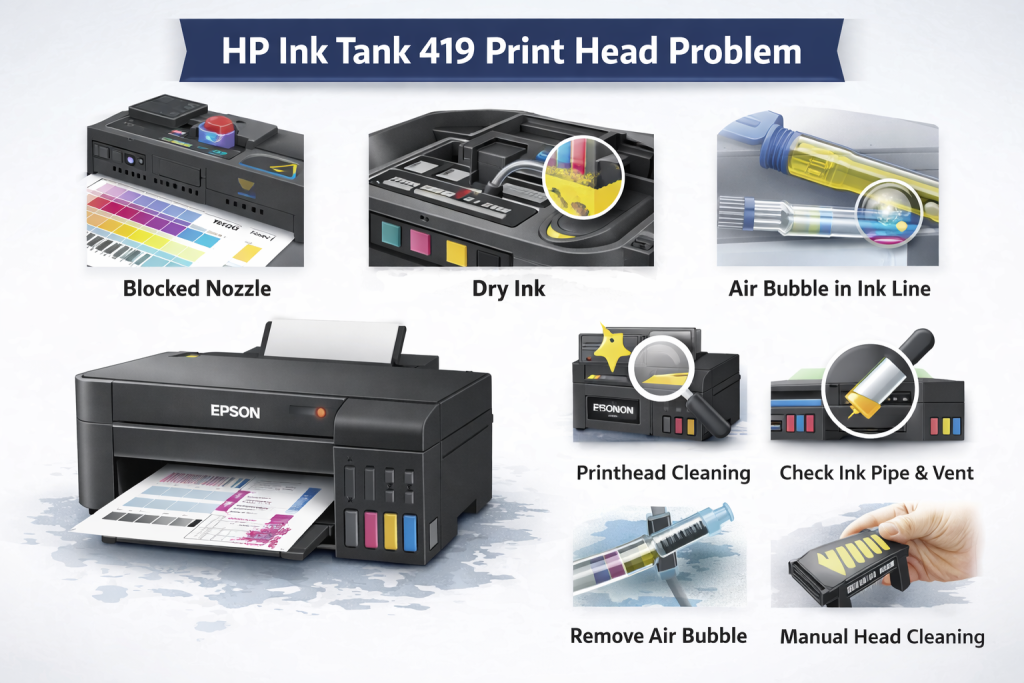
Printer Repair Service in Sonarpur ,HP Ink Tank 419’s print head failure is a frustrating problem, which takes place because of nozzle clogging or dry ink or may be an air bubble in the ink line. And when it does occur, you may get blank pages, colors missing or lines on the printing even if the ink is full in the tank.
Solution:
1The ink level is checked and a nozzle check / test print can be initiated to see which colour (s) are missing. Run printhead-cleaning to clear blockage and improve ink flow. If the issue persists, the ink pipe line and tank vent is inspected and air bubbles are extracted. If necessary, manual printing head cleaning is performed delicately in cases of hard ink clogging. After servicing, make sure that the printer operates normally by printing multiple pages and that colors resume normal output. know more about our services.-
Epson L3210 / Epson L3250 Red Light Blinking
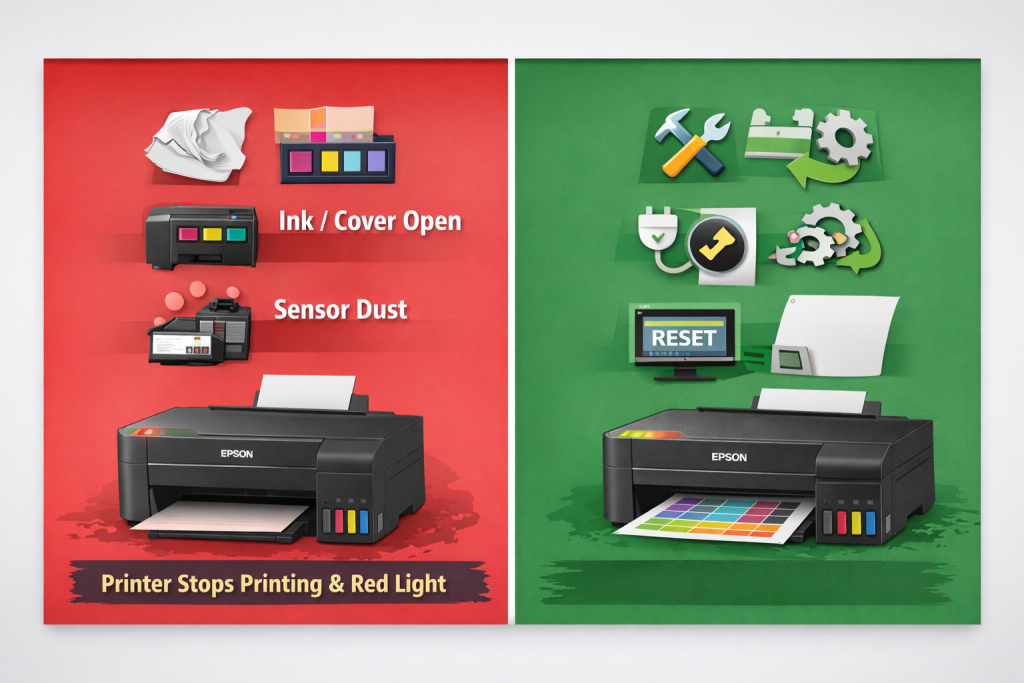
Printer Repair Service in Sonarpur ,Epson L3210 / L3250 printer red light blinking error is a general problem and it’s related to Paper jam, paper loading incorrectly, cover not properly close, sensor dust or waste ink pad counter full. When this happens, printing is halted and receive blinking red light or error alert. This will make the print job hang in the queue. Often times a very small piece of paper is already stuck inside, preventing another page from completing the feed.
Solution:
First the printer is powered down and checked for any paper jam or torn paper. Paper is fed and the printer is re-started. Then I power reset by unplugging the printer for an interval. If the red light on the printer is still blinking, then it means that waste ink pad counter is full and you need to apply software reset using Epson reset tools (Adjustment Program / WIC Reset Utility). Then passed a few prints through to ensure normal function of the printer after reset.