Dell Inspiron 3511, 3520, 3510 & 3515 hinge problem explained — causes, symptoms, FAQs and doorstep hinge repair across Sonarpur by Pixel Computer & Printer Services.
Dell Inspiron 3511, 3520, 3510 & 3515 Hinge Problem – Causes, Warning Signs
If you own a Dell Inspiron from the 3000 series, there’s a fair chance you already heard the sound. A small click that wasn’t there last month. Maybe you have noticed that the corner of the screen frame lifts a bit, or a hairline crack near the hinge that you keep telling yourself is nothing, really.
It isn’t nothing. The Dell Inspiron hinge issue on the 3511, 3520, 3510 and 3515 shows up as one of the most common faults we see at our Sonarpur workshop, and it follows almost the same routine every single time. The annoying part? Most owners walk in only after the damage has spread. By then, a repair that would have been just a few hundred rupees grows into a broken body panel, a strained display cable, and sometimes even a cracked screen.
Why These Particular Models?
The Inspiron 3511, 3520, 3510 and 3515 are budget workhorses. Students use them, offices buy them in bulk, families pick them for the price. Dell built them to a cost, and one of the places that cost-cutting shows is the hinge mounting.
Dell Inspiron 3511, 3520, 3510 & 3515 Hinge Problem – Causes, Warning Signs & Solutions Here’s the design issue in plain language. The hinges themselves are metal and reasonably strong. But they don’t anchor into a metal frame. They screw into small brass inserts that are heat-pressed into the plastic of the bottom panel and the screen back cover. Every time you open or close the lid, the full force of that movement passes through those tiny plastic mounting points.
Now add the second half of the problem: the hinges on these models are stiff, and they get stiffer with age as the factory grease dries out. A stiff hinge plus a plastic mount is a losing combination. Something has to give, and it’s never the metal.
The Causes, One by One
1. Dried hinge grease and rising tension.
After a year or two, the lubricant inside the hinge barrel hardens. The hinge that once opened smoothly now resists, and all that extra resistance transfers straight into the plastic anchoring it.
2. Opening the lid from one corner.
Most of us do it. One hand, one corner, a quick flip. On these models, that twists the panel and loads one hinge with the entire force. The left hinge, nearest the power connector side, usually fails first for exactly this reason.
3. Brass inserts pulling out of the plastic.
Once the plastic around an insert weakens, the insert rips free with a chunk of the surrounding panel. From this point the hinge is floating, held by nothing, grinding against whatever it touches.
4. Heat.
These machines run warm near the hinge area, and warm plastic fatigues faster. Laptops used on beds and pillows, with the vents blocked, age their hinge mounts noticeably quicker.
5. Carrying the laptop by the screen.
It sounds obvious, yet we see the results weekly. The lid was never designed to be a handle.
Common Symptoms of a Dell Inspiron Hinge Problem
Catch the problem at stage one or two and the repair is simple. Here’s the typical progression, roughly in the order it appears.
Creaking or clicking when opening the lid.
The earliest signal, and the sound of stressed plastic flexing around the insert. Most people ignore it.
A gap opening up near the hinge.
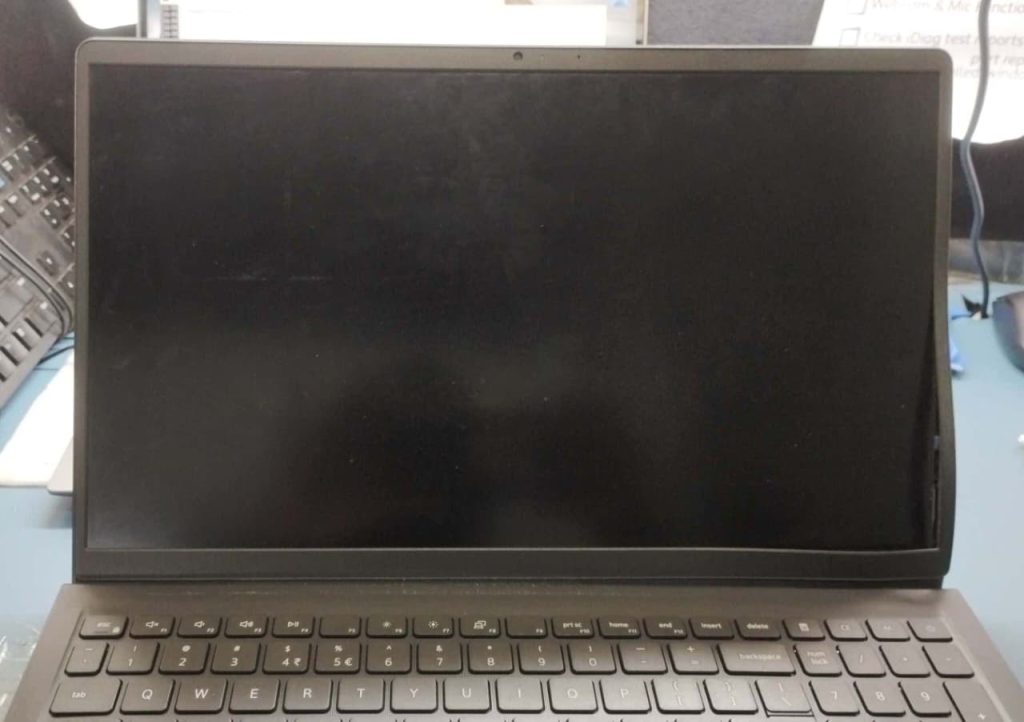
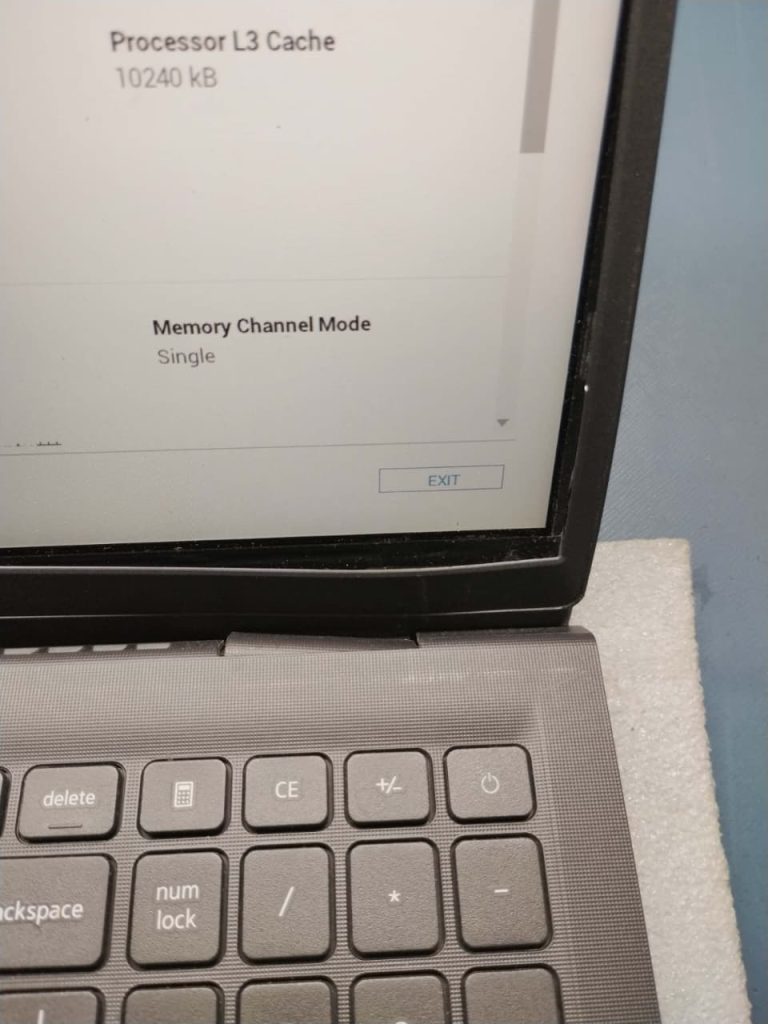
Usually where the screen frame meets the back cover, sometimes between the bottom panel and the palmrest. The sections are being pried apart from the inside.
A wobbling display.
It shakes when you type, or won’t hold a fixed angle. One hinge has already partially separated and the other is doing double duty.
Cracking sounds and visible cracks at the hinge corners.
The insert has torn loose. Every open and close from here grinds the broken parts against each other.
The bottom cover splitting open when you lift the lid
This is the stage most laptops reach us at, and by now the loose hinge has usually started pulling on the display cable too.
Flickering display or lines on screen when you move the lid.
The damaged hinge is stressing the display cable. You’re one bad day from a dead screen, which costs far more than any hinge repair.
What a Proper Repair Looks Like
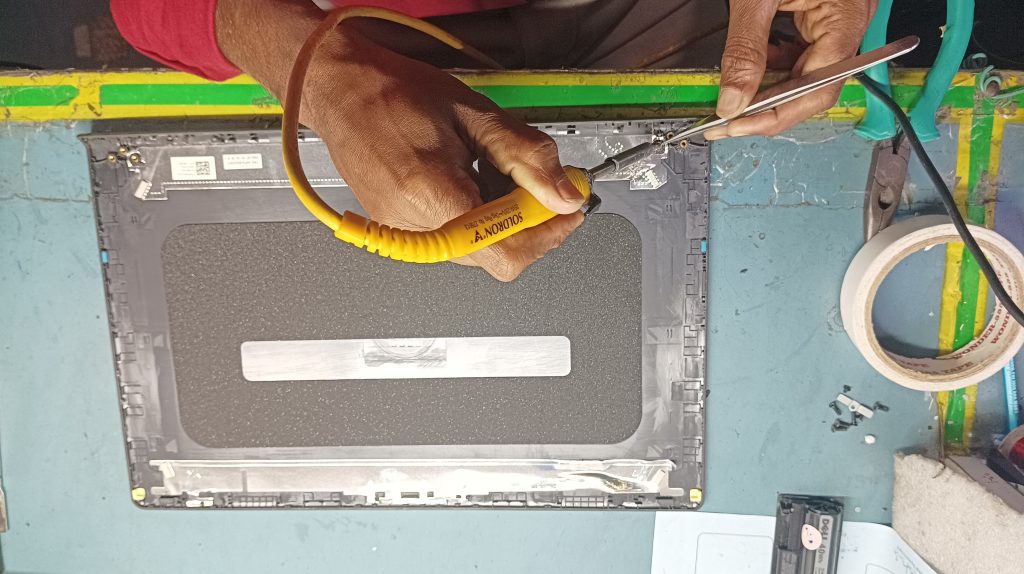
A lasting fix means rebuilding the mounting, not gluing the crack. At Pixel Computer & Printer Services in Narendrapur, Sonarpur, we open the panel, remove the torn inserts, rebuild the mounting points with reinforced compound, re-seat the brass inserts properly, ease the hinge tension so the fault doesn’t simply return, and check the display cable before closing anything.
Where the panel is genuinely beyond rebuilding, we’ll tell you honestly and quote a compatible replacement, in writing, before any work begins. The diagnosis at our workshop costs you nothing.
Most Inspiron hinge jobs are done within a day or two, at a fraction of what a body replacement costs at an authorised centre.
On-site and Doorstep Support Across Sonarpur

Hinge work itself needs the bench. The panel has to come apart, the rebuilt mounting points need time to cure properly, and that isn’t something anyone should be doing on a dining table. So the repair happens at the workshop.
What we can do at your place is everything around it. If you’d rather not carry a laptop with a cracked panel across town, call us and we’ll come to you, check the hinge, tell you which stage it’s at and what it will cost, and take the machine back with us if you want to go ahead. When it’s done, we drop it back. No charge for the visit if you proceed with the repair.
This works out easiest for the customers we see most often — students in Narendrapur and Kamalgachi who don’t want to lose a day, offices in Garia and Sonarpur with three or four machines showing the same fault, and families who simply don’t want to risk making a hairline crack worse on the journey.
Areas We Cover
Dell Inspiron 3511, 3520, 3510 & 3515 Hinge Problem – Causes, Warning Signs & Solutions .We’re based at RK Puram Complex, Mission Pally, Narendrapur, and regularly handle pickup and drop across Rajpur Sonarpur, Narendrapur, Kamalgachi, Garia, Baruipur, Sonarpur Station area, Panchpota, Boral, Naktala, Briji, Rathtala and the surrounding neighbourhoods. If you’re a little outside this list, call and ask — we usually manage it.
Frequently Asked Questions
Can a Dell Inspiron hinge be repaired, or does the whole body need replacing?
In most cases it can be repaired. The mounting points get rebuilt and the brass inserts re-seated. Full body replacement is only necessary when the plastic around the hinge has shattered rather than cracked, and even then we’ll show you why before quoting it.
How much does hinge repair cost?
It depends entirely on the stage. A creaking hinge caught early is a small job. A torn-out insert with a split bottom panel costs more. Diagnosis is free, and you get the price in writing before we touch anything.
How long does it take?
Usually one to two days. The rebuilt mounting needs to cure properly, and rushing that is exactly why cheap repairs fail again in a month.
Is this covered under Dell warranty?
Rarely. Hinge damage is almost always classified as physical damage rather than a manufacturing defect, so most owners end up paying for it either way. Worth checking your warranty status first if the laptop is still under one.
My screen flickers when I move the lid — is that the hinge?
Very likely, yes. A loose hinge tugs on the display cable, and flickering or lines on screen when the lid moves is the classic sign. Stop opening and closing it and get it looked at, because a damaged display cable or screen costs several times what the hinge does.
Will the same problem come back after repair?
Not if the hinge tension is eased during the repair. That step is what most quick fixes skip — they rebuild the mount, hand the laptop back with the same stiff hinge, and the plastic fails again in a few months.
Fix It While It’s Still Small
The Dell Inspiron hinge problem rewards early action like few other laptop faults. A creak today is a cracked panel next month and a damaged screen the month after.
If your 3511, 3520, 3510 or 3515 is showing any of the signs above, call or WhatsApp +91 8597519818, or visit us at RK Puram Complex, Mission Pally, Narendrapur, Rajpur Sonarpur, Kolkata 700150. Open the lid with both hands until then. Your hinges will thank you.
Disclaimer
This article about Dell Inspiron 3511, 3520, 3510 & 3515 hinge problems is provided for general informational and troubleshooting purposes only. The causes, warning signs, repair methods and estimated repair time mentioned above may vary depending on the laptop’s condition, previous damage and the extent of the hinge or body-panel failure. Information about Dell laptop hinge repair in Sonarpur is based on general repair experience and should not be considered an official statement from Dell Technologies.
Before attempting any repair, especially around the hinge, display cable, screen assembly or motherboard, professional inspection is recommended. Improper handling, excessive force or the use of adhesives such as superglue may cause additional damage. Any repair decision, replacement-part requirement and final cost should be confirmed after physical diagnosis of the laptop.
Pixel Computer & Printer Services is an independent computer and laptop repair service provider and is not affiliated with or officially authorised by Dell Technologies unless specifically stated. Dell and Inspiron are trademarks of Dell Technologies or its respective entities.
This article is intended to help users recognise the early signs of a Dell Inspiron hinge problem and understand when professional Dell laptop repair services in Sonarpur may be appropriate.